What is Mahjong Connect?
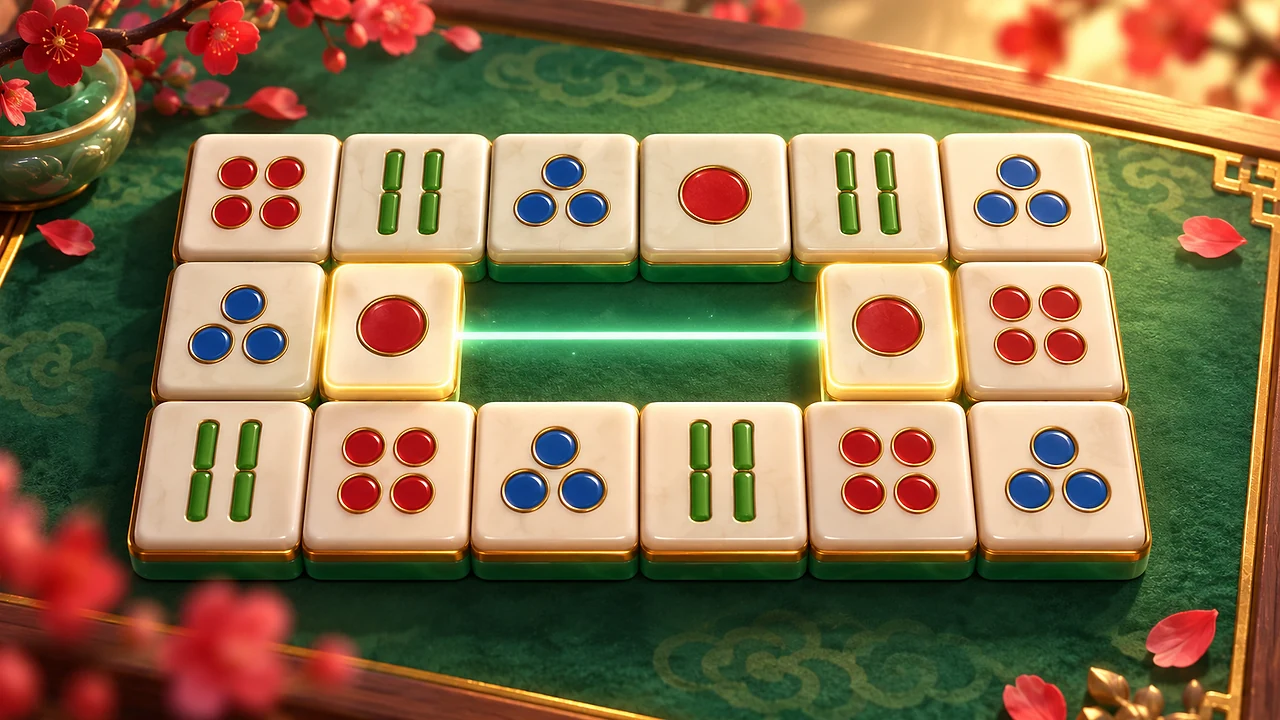
Mahjong Connect is a tile-linking puzzle. The board is a grid of mahjong tiles. Pick two identical tiles and, if a line can join them, both disappear. Clear every tile before the countdown ends. Players also know the same idea as Onet connect or Mahjong Connect Classic; this version is built and published by BopBits and plays in your browser on phone, tablet or desktop.
How to play Mahjong Connect
Two tiles can be linked when all of these are true:
- They show the same face. Any flower matches any other flower, and any season matches any other season.
- A line made of straight horizontal and vertical pieces runs from one tile to the other.
- That line has at most two turns, so at most three straight pieces.
- The line only passes through empty cells. It cannot cross another tile.
The empty ring around the board counts as empty cells. A line may leave the board’s tiles, run along the outside and come back in, which is how two tiles on opposite sides can still link with two turns.
When you link a pair, the line is drawn for a moment and both tiles clear. A link scores 100 points plus a combo bonus for each link in a row, and a straight link earns more than a link with turns.
What to notice on your first run
Look at the edges before the middle. Tiles on the outside can link across the empty border, so they are the first to clear and they open paths for the tiles behind them. A straight link and a link with two turns clear the same pair; the difference is the score. If a tile looks unreachable, count the turns on the route you have in mind: if it needs a third turn, it will not link yet. Flowers and seasons are the only faces that match different tiles, so a flower can pair with any flower.
Why this mechanic works in a short session
One board is a few minutes of work, and every link changes what is reachable, so the next best pair is usually easy to see but not always safe to take. The clock keeps the pace up without a hard fail: each link gives two seconds back. Mistakes cost only your combo. Because every board is dealt with a full clear available, a stuck position comes from the order you chose, not from bad luck, and Rescue Shuffle recovers it.
Levels, modes and the clock
Classic mode has six levels, from a 4 x 4 board of 16 tiles up to a 10 x 8 board of 80 tiles. Each level has a countdown (120 seconds on level 1, 240 on level 6), and every link adds two seconds back, up to the starting time. After level 6 the game returns to level 1.
- Classic: work through the six levels. Your level and best score for each level are saved in this browser.
- Speed Blitz: the same levels on half the time.
- Daily Puzzle: one board per day, the same for every player, based on the UTC date. Restarting replays the same board.
Hints, undo and stuck boards
The Hint button highlights one pair you can link right now. The first three hints are free; extra hints may ask you to finish a rewarded ad when ads are available. Undo takes back your last link, and the ones before it, but not across a shuffle. Shuffle deals the tiles that are left again at any time. If you ever run out of links, the Shuffle button becomes Rescue Shuffle, and the new deal always leaves a board you can clear completely.
Christmas tiles
From 1 November to 6 January, Mahjong Connect draws the tiles as Christmas pictures, such as a Christmas tree, a snowman or a candy cane, unless you have already chosen a tile style. Each picture stands for one matchable group, so the rules do not change: the four flower tiles all show an owl in a winter hat and the four season tiles all show a moon, because any flower links with any flower and any season with any season.
The Tiles button switches between festive and classic faces at any time. Your choice is saved in this browser and is kept after the holidays, so you can play with Christmas tiles all year or keep the classic faces in December. The same tile set is used by Christmas Mahjong, the Christmas edition of our mahjong solitaire game, and both games are listed in Mahjong Games.
Mahjong Connect at a glance
- Game: Mahjong Connect (Onet-style pair-linking puzzle)
- Developer: BopBits
- Rule: link two identical tiles with a path of at most two turns through empty cells
- Modes: Classic (6 levels), Speed Blitz, Daily Puzzle
- Controls tested: mouse, touch and keyboard (Tab and Enter)
- Timer: yes, a countdown on every level
- Save: level and best scores are saved automatically in your browser; a board in progress is not saved
- Daily puzzle: yes, one board per UTC day
- Tile styles: classic mahjong faces or Christmas pictures, switched with the Tiles button; Christmas is the default from 1 November to 6 January until you choose
- Hints: the first three are free; extra hints may ask for a rewarded ad when ads are available
- Ads: optional rewarded hints and breaks between completed levels when supported by the host
- Price: free, no account and no download
- Last updated: 13 November 2026
Frequently asked questions
Is Mahjong Connect the same as Onet Connect or Shisen-Sho?
It uses the same rule that Onet connect games use, also known as Shisen-Sho or Nikakudori: link two matching tiles with a path of at most two turns. Mahjong Connect is BopBits’ own version, using the standard mahjong tile faces on boards from 16 to 80 tiles.
Is there a daily mahjong puzzle?
Yes. Daily Puzzle deals one board per UTC day, the same board for every player. Restarting replays that board, so you can try it again until you clear it.
Is Mahjong Connect the same as Mahjong Solitaire?
No. In Mahjong Lounge, our Mahjong solitaire game, you remove tiles that are free on their sides and uncovered. In Mahjong Connect all tiles lie flat and you link them with a path. The Mahjong games page compares the two.
Does my progress save?
Your current level and your best score on each level save automatically in this browser. Clearing browser storage removes them. A board you are in the middle of is not saved.
Can a board be impossible?
Every board starts with a full clear available. You can still strand yourself by choosing a different order, and then Rescue Shuffle deals the remaining tiles so they can all be cleared again.
Can I play Mahjong Connect for free without downloading?
Yes. It runs in the browser on phones, tablets and desktops with no download and no account.