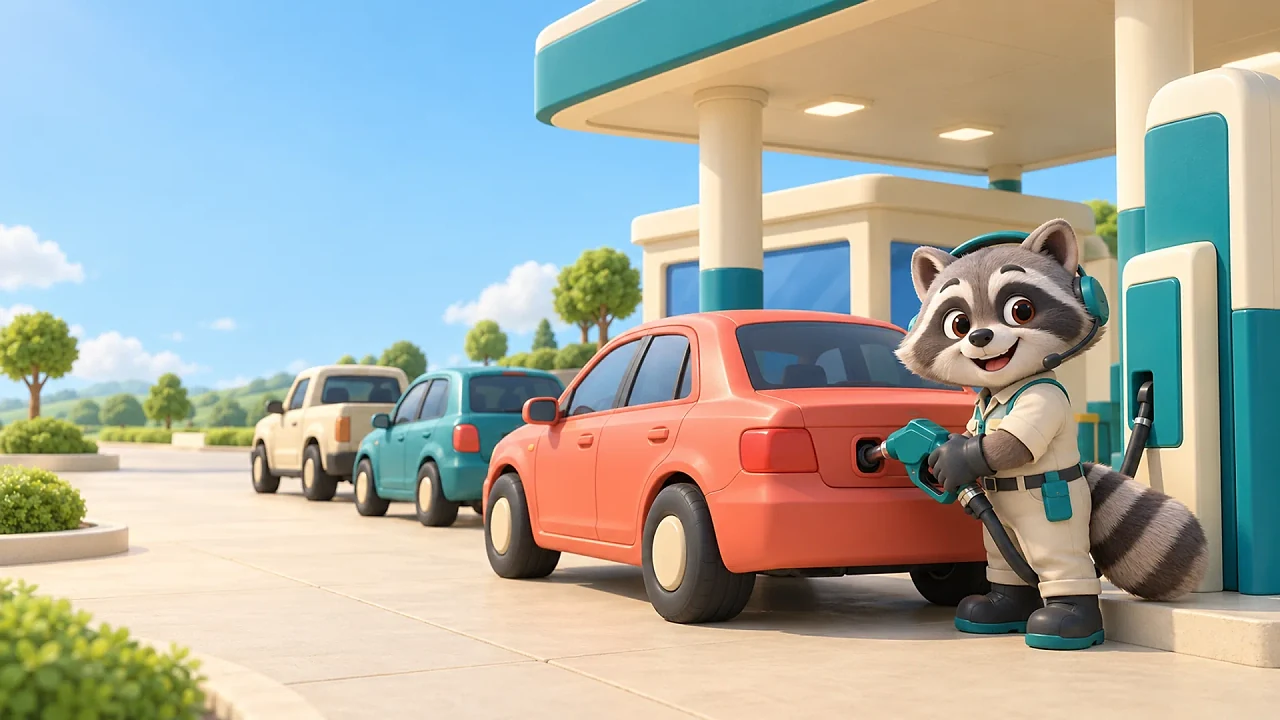
Bop Stop is a free browser gas-station game by BopBits. Move a raccoon manager around the forecourt to pick up fuel, serve waiting cars and collect their payments. Spend cash at upgrade pads to carry more, serve faster, open a second pump and hire a beaver attendant.
Session5–10 min
ControlsTouch + mouse
DifficultyEasy to learn
CostFree to play
Updated
How to play Bop Stop
Use WASD or the arrow keys to move on desktop. Drag on the play area to steer on touch devices.
Stand near the fuel rack, a pump, the cash point or an upgrade pad to work. Use Pause and settings to take a break.
Tips
Pick up fuel before approaching a waiting car. Return to the rack when your stack is empty.
Collect payments at the cash point so you can afford upgrades.
A beaver attendant helps with service, while you can keep carrying fuel and serving cars yourself.
What is Bop Stop?
Bop Stop puts you in charge of a small roadside gas station. You play a raccoon manager, carrying fuel between the rack and waiting cars. Cars queue, pull into a bay, receive fuel and leave a payment to collect.
How to play
Walk to the fuel rack to pick up a stack, then stand beside a pump to serve its waiting car. Collect money from the cash point and stand on an upgrade pad to spend it. Improve carrying capacity and service speed, add a second pump, expand fuel supply and hire a beaver attendant.
Your first station
This version focuses on the first station and its two pump bays. The fenced future-service area is a preview of a later expansion and cannot be opened in this version.
Frequently asked questions
Does progress save?
Progress saves in your browser on this device. Clearing site data removes that save. The station pauses while the game is hidden or closed; it does not earn offline cash.
Can I keep working after hiring the attendant?
Yes. The beaver helps with the station, and you can still carry fuel, serve cars and collect cash.
How do I change sound or motion settings?
Open Pause and settings for sound, music and reduced-motion controls.
Bop Stop FAQ
What is Bop Stop?
Bop Stop is a free browser gas-station game by BopBits. Move a raccoon manager around the forecourt to pick up fuel, serve waiting cars and collect their payments. Spend cash at upgrade pads to carry more, serve faster, open a second pump and hire a beaver attendant.
How do you play Bop Stop?
Use WASD or the arrow keys to move on desktop. Drag on the play area to steer on touch devices. Stand near the fuel rack, a pump, the cash point or an upgrade pad to work. Use Pause and settings to take a break.
What are some tips for Bop Stop?
Pick up fuel before approaching a waiting car. Return to the rack when your stack is empty. Collect payments at the cash point so you can afford upgrades. A beaver attendant helps with service, while you can keep carrying fuel and serving cars yourself.
KEEP PLAYING
Related games
Try another BopBits game with a different kind of quick decision.