guide
Capybara Supermarket Simulator? Start Here in Capy Mart
Capy Mart beginner guide: the order to pick, stock, serve and hire in this free capybara shop game, with what each helper costs and when it appears.
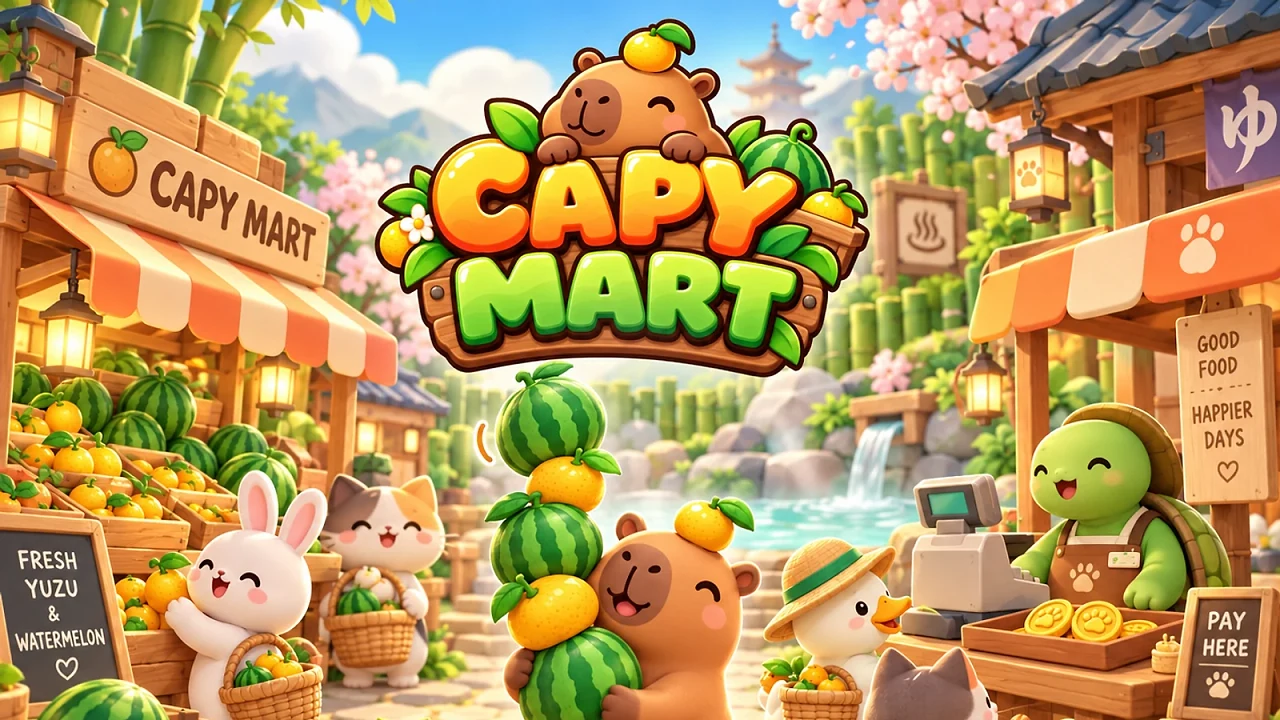
If you are looking for a capybara supermarket simulator, Capy Mart is the closest BopBits game. It is free in the browser: you walk a capybara around a small market, pick yuzu and watermelon, stock the stalls, serve customers and hire helpers. It is one fruit market, not a store with many aisles.
What you are running
Capy Mart is a shop game where every product travels a visible chain. Fruit grows at its own spot, you carry it to the matching stall, a customer queues at the till, and the Paw Cash they pay lands in a pile that you collect. Nothing appears on a shelf by itself.
Right now only one market is playable, the Fruit Garden. The World Map also shows Bamboo Mountain, Harbor Market, Yuzu Onsen and Lantern Night Market, but each is marked coming soon and has nothing to buy yet. Your shop is saved in the browser on the device you play on.
Step 1: the first loop
The game walks you through five actions and each one finishes when you do the real thing, not on a timer.
- Move. Use WASD or the arrow keys, or hold and drag anywhere on a phone.
- Pick yuzu from the tree by walking up to it.
- Put it on the shelf. The yuzu shelf is free from the start.
- Serve the first customer. They queue at the checkout.
- Collect the Paw Cash at the till. Cash does not reach your wallet until you walk over and pick it up.
After that the guide asks you to choose your first upgrade. A yuzu sells for 2, so the first loop is small on purpose.
Step 2: upgrades arrive when you need them
The game offers an upgrade only after you have met the problem it solves. These are the triggers in its progression rules:
- Carry Size is offered after your arms have been full. You start able to carry four items, and the track goes through 6, 8, 10, 12 and 16.
- Shelf Size is offered once a stall has been full while you were holding fruit. Shelves go from 3 to 6 to 9 slots.
- The first upgrade bench and the second product are offered after the first loop, once you have filled your arms or hand-picked 12 times.
Other tracks are Move Speed, Harvest Speed, Restock Speed, Checkout Speed and Sell Price. Most tracks have five tiers (Shelf Size has two), and a maxed track shows a tick instead of a price. Our suggestion is Carry Size first: you start with four slots, so you make many short trips.
Step 3: watermelon, the second product
Watermelon opens once the yuzu loop and your first spend are done. It has its own field and its own stall, and the trip to it is longer than the one to the yuzu tree. At the time of writing (version 0.1.101), the field costs 70 Paw Cash and the stall 30, and a watermelon sells for 6 against 2 for a yuzu.
The longer walk is the point. You now choose between a short yuzu trip and a long, richer melon trip, and an empty shelf costs you customers for that product. Keep both stocked before you buy anything else.
Step 4: helpers, in the order the game offers them
Helpers take whole jobs off your route. Prices below are the pad prices in the game’s tuning at version 0.1.101, and they can change.
| Helper | Price | Appears when | What it does |
|---|---|---|---|
| Turtle Cashier | 150 | A queue has backed up at the till | Rings up customers |
| Capy Harvester | 90 | Watermelon is open and you have hand-picked 40 harvests since | Picks yuzu into a basket that holds 8 |
| Capy Stocker | 200 | You own the Harvester and its basket has filled, or you have taken 30 units from it | Carries produce to the shelf |
Two details help. The Harvester is assigned to yuzu in the game’s configuration, so you still pick the watermelons. And a helper arrives only when the offer appears, so do not save for one that has not been offered yet.
Step 5: the Fruit Press
The Fruit Press is offered after you own both the Harvester and the Stocker. It turns 2 yuzu into 1 yuzu juice in about 4 seconds. Put yuzu in the left tray, stand on the green circle while it presses, and pick up the juice on the right. The press costs 180 and the juice shelf 90, and juice sells for 10.
That makes the press worth it: two yuzu sold raw bring 4, and the same two yuzu as juice bring 10.
Daily Orders and mastery
Daily Orders gives you a small goal each day, such as selling or stocking a product, and pays Paw Cash plus a stamp for the Market Book. The game says there are no streaks and no penalties, so skipping a day costs nothing.
Fruit Garden mastery has six goals:
- Sell 2 yuzu.
- Sell 2 watermelons.
- Hire the Harvester and the Stocker.
- Press your first batch.
- Sell your first juice.
- Open all three product chains.
Finishing them earns a Golden Capy Badge on your shop sign.
Common mistakes
- Buying speed before capacity. A faster capybara still carries four items.
- Leaving a stall empty. Falling behind on one product costs you the customers who want it.
- Waiting for a helper before the offer appears. Offers follow problems you have actually had, so you cannot buy them early.
- Forgetting the till. Paw Cash waits in a pile until you walk over and collect it.
If you like this, try
Capy Hotel uses the same capybara errand loop in an inn. Bop Bakery is the smallest version of the carry-and-serve idea, and Idle Factory keeps the production-line feeling without the walking. For a comparison of several, read free hotel and shop management games.